
Password change tips:
- Your password must be at least 8 characters and contain at least 1 uppercase character, 1 lowercase character, and 1 number.
- Use a combination of 8+ characters for a strong password.
- Your mailbox password cannot contain spaces or the following characters: \, &, +, '.
- These characters can be used: [a-zA-Z0-9#!@$%^*()_="?.,/;:<>`{|}~-[]].
Log in to cPanel.
Navigate to the Email Accounts menu.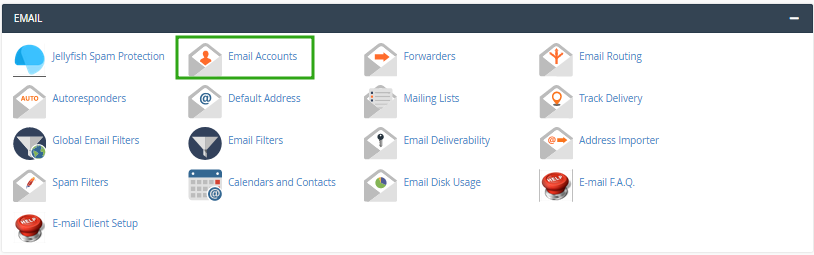
Find the necessary email address, and click the Manage option.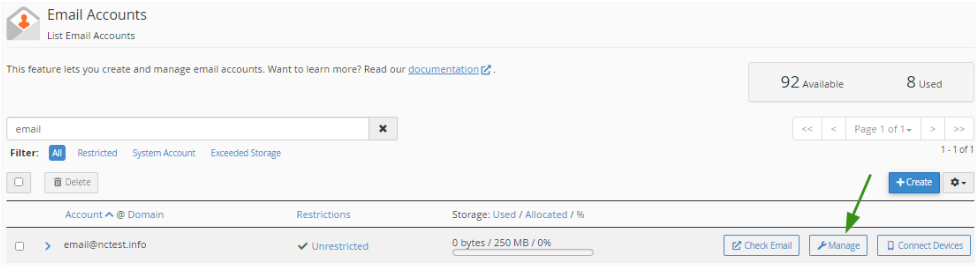
Navigate to the Security field and enter a new password. Alternatively, you can use the Generate option to create a password.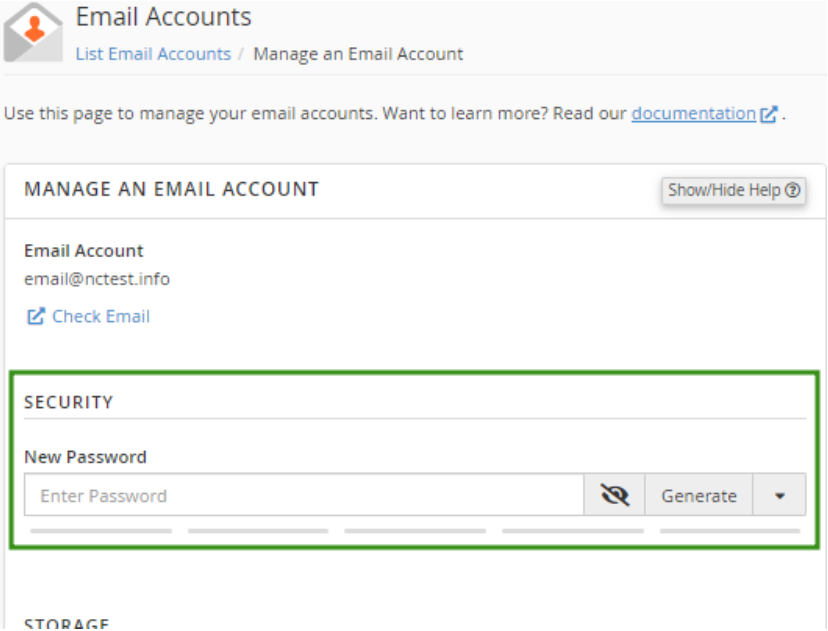
Click Update Email Settings to save the changes.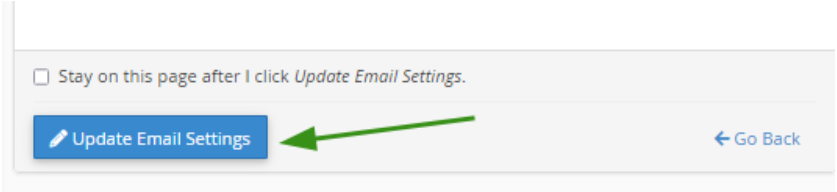
- Once the changes are saved, you’ll see a confirmation message at the top of the page.
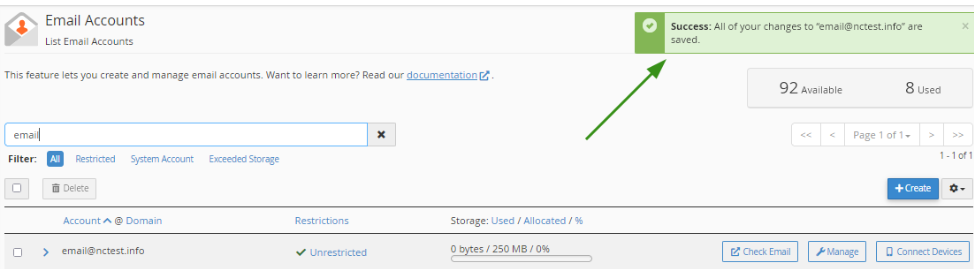
Success!
